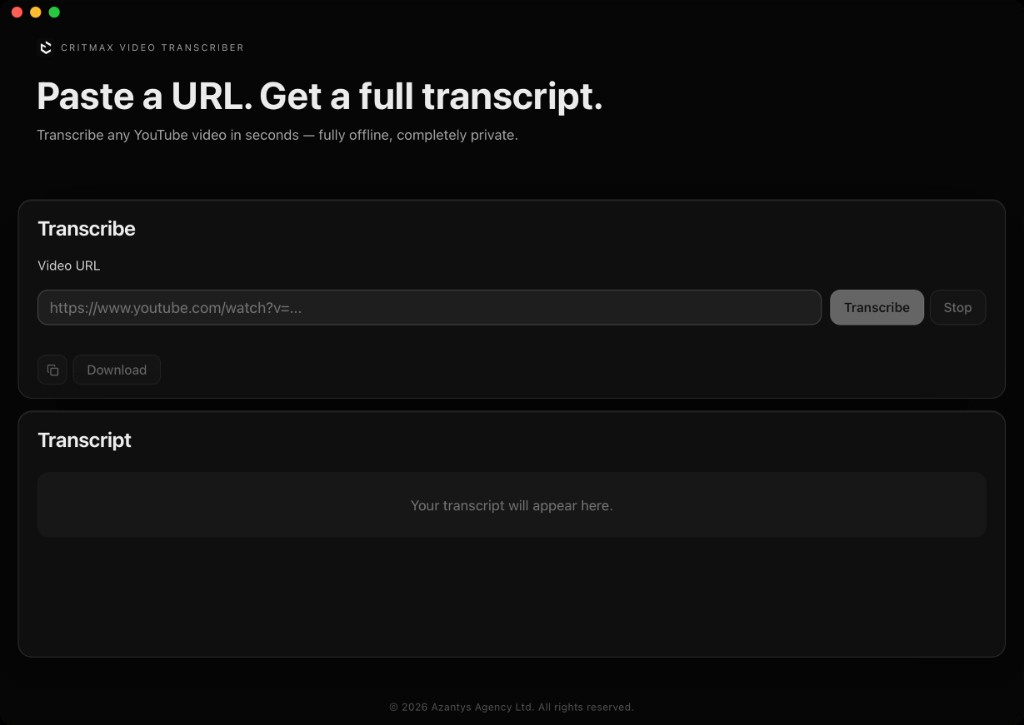
How it works
Paste a YouTube URL
Copy any YouTube video link and paste it into AskVideo. The app fetches the audio from YouTube.
Transcribe locally
A local model on your Mac streams the transcript in real time — segment by segment.
Ask the video (offline)
Chat with the built-in offline AI about the transcript: summaries, takeaways, explanations, and targeted answers.
What you actually get
Ask the transcript (offline)
Ask about the video like you’d ask a teammate: "What are the main points?", "What’s the conclusion?", "What should I do next?"
Live Streaming Transcript
Segments appear in real time as the AI processes the audio. No waiting for the full job to finish.
Fast summaries & structure
Get a summary, key takeaways, definitions, and action items in seconds — ideal for long videos.
Private AI Processing
Transcription and chat run locally. No cloud AI processing and no transcript sent to external AI services.
What “local AI” means
- ✓Transcription model runs on your Mac
- ✓Offline chat model runs on your Mac
- ✓No audio or text sent to cloud AI services
- ✓Models load from local storage after initial setup
- →Internet is needed to fetch YouTube audio (the source is online)
Export & workflow
- ✓Copy full transcript to clipboard
- ✓Download as .txt file
- ✓Ask questions and keep the answers alongside your notes
System requirements
macOS (Apple Silicon / M-series)
AI models run locally on your Mac
No cloud AI processing
Models stored locally after setup